






01
Create the event
Name it after the off-site, the launch or the party, set the date and pick a theme.
- Name the event and set the date.
- Pick a theme and a cover photo.
- Get your upload page and gallery.
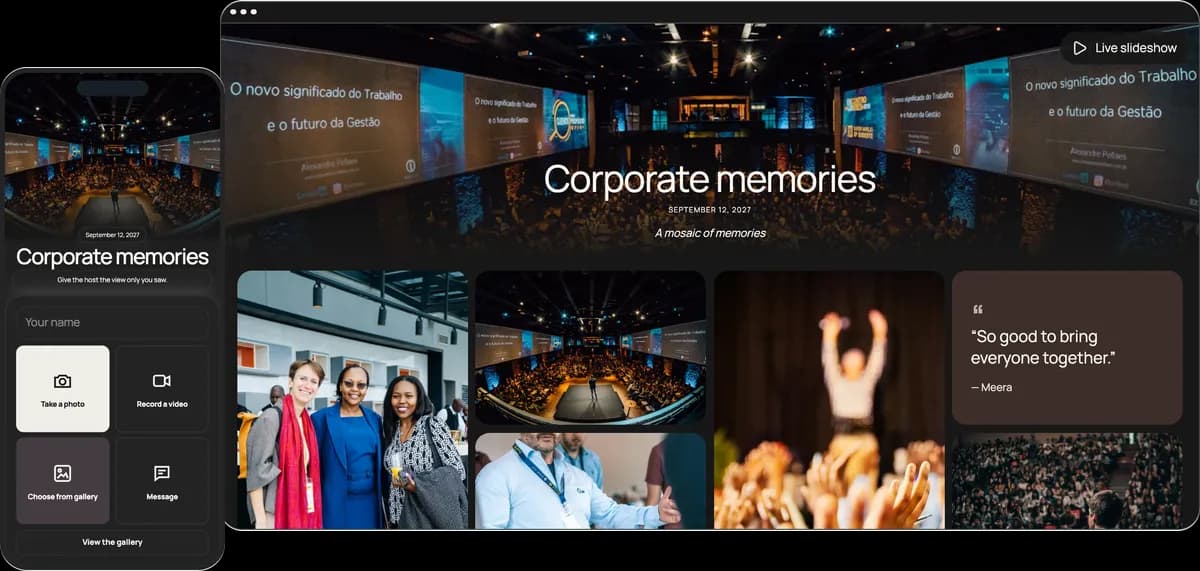

Attendees scan one QR code and add their photos and videos to a private gallery and a live slideshow you approve first. No app, no accounts, and one price per event, from €19.95.
Start free. No app required.Team members, clients and speakers share the same way, on a work phone or a personal one: scan, pick, upload.
Attendees scan it at registration, at the bar or from the screen.
Nothing to install or approve: the page opens in the phone’s browser.
Attendees don’t sign up, so there is no user list to maintain. Adding a name is optional.
Download every photo and video in original quality for the recap.
Set up in minutes, the week before or on the morning of the event.
Name it after the off-site, the launch or the party, set the date and pick a theme.
Print it for registration and the bar, or put the link in the invite and the agenda.
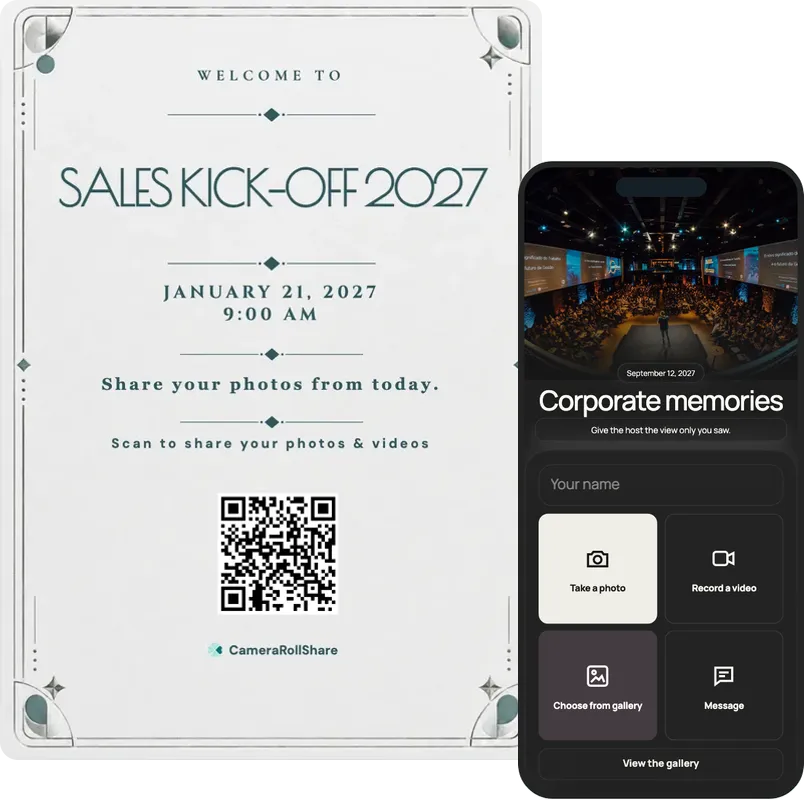
Turn on approval first, so nothing appears on the screen before you have checked it.
One simple upload screen for guests. One beautiful gallery for everyone invited.
Sales Kick-off 2026
September 17, 2026
A mosaic of memories





Choose a style to see your upload page and gallery change
72 possible combinations of themes and layouts
Create your own eventNo app rollout, no user list, no seat licences. One code takes colleagues, clients and partners straight to a private gallery, and you decide what reaches the screen.
The off-site in March, the summer party in June, the holiday party in December. Each event gets its own QR code, gallery and plan, and you run them all from one account. A two-day off-site stays one event, and its gallery stays open until you close it.
Invite colleagues by email. Moderators manage uploads alongside you, and viewers get a read-only dashboard to follow along without changing anything. You don’t have to watch the gallery all evening.
The gallery is private and not listed: only people with your QR code or link can open it, and guest pages stay out of search engines. Anyone who prefers not to appear can ask you to hide their photos, and files are deleted 14, 30 or 60 days after you close the event, depending on the plan.
The head office, a hired venue, a client dinner: the upload page opens in any phone’s browser, iPhone or Android, with nothing to install on work devices. Clients and partners can join without an account, and attendees see the page in English, French or Italian depending on their browser.
Put it next to the QR code at registration, so attendees know where their photos go and how to opt out. Pick your plan to fill in the deletion delay, then print it.
People scan when they stop and wait with a phone in hand. At a company event that happens in a handful of places, and these five work at almost any of them.
Everyone stops there for a badge or a welcome drink. Put the QR beside the photo consent notice, so attendees know where photos go before the first one is taken.
Add the link to the calendar invite or the team chat. Colleagues who try it before the day already know what to do, and the first photos arrive early.
Between presentations and award announcements, the live slideshow shows your QR code in its corner. The room sees new photos and how to add theirs, and approval keeps surprises off the screen.
Breaks are when the phones come out. A small sign by the coffee gets scanned while the queue moves. Planning many rooms and hundreds of attendees? That is closer to a conference, which has its own page.
For the summer or holiday party, put a sign by the drinks and the slideshow on a big screen. Photos show up while the evening is still going.
After you create your event, pick a printable QR card template and add your own names and date.
Most companies collect event photos the same way: someone shares a Drive folder, or asks in a Slack channel. A few people upload, most never open it, and clients and partners can’t join at all.
A QR code does the asking where people already are. Attendees scan, add their photos at full size, and everything lands in one private gallery that you can moderate, show on a screen and download as one ZIP.
Pricing is as simple as the process: you pay once per event, with no seats and no subscription. The Free Trial covers 50 uploads, Premium is €19.95 for 500 and Premium+ is €39.95 for 2,000.
| Feature |  CameraRollShare | A Drive folder or Slack channel |
|---|---|---|
| App or account needed | No, it opens in the phone’s browser | A Google, Microsoft or Slack account |
| Clients and partners can share | Yes, anyone with the QR code | Only people you add to the folder or channel |
| Photo quality | Original files, as attendees took them | Chat apps often compress them |
| All photos in one place | Yes, one private gallery | Spread across folders and channels |
| Check before the screen | Approve, hide or restore any upload | No approval step |
| Help from HR or the events team | Moderators and read-only viewers, by email | Folder permissions set up by hand |
| Live slideshow | Updates within about 15 seconds on any screen | Not available |
| Photo consent notice | A printable notice for the QR code | Not included |
| Deleted on a fixed date | 14, 30 or 60 days after closing, by plan | Stays until someone deletes it |
| Several events | One account, a QR code and gallery for each | A new folder or channel every time |
| Download everything | One ZIP with every original | File by file or folder by folder |
| Price | Free to try, then one price per event | Tied to licences and storage limits |
We’re here to help hosts bring their guests’ photos together and make every event more memorable.
“I turned on approval before our product launch, so nothing reached the screen until I had checked it. The price was on the page, we paid once for the event, and there was no subscription.”
“As HR, I printed the consent notice and put it beside the QR code at registration. A colleague asked to be left out, so I hid her photos in a couple of taps. Nobody needed an account.”
“I ran our summer party and added two people from the events team as moderators. Everyone scanned from their own phone, no app, and the next day I downloaded every photo and video as one ZIP.”
Give attendees one QR code that opens a private upload page in their phone’s browser. Nobody installs an app or creates an account, so it works on work and personal phones, on iPhone and Android, and for clients and speakers too. Adding a name is optional. Photos keep their original quality, and you download everything as one ZIP for the recap.
One price per event, paid once: the Free Trial covers 50 uploads at no cost, Premium is €19.95 for 500 uploads and Premium+ is €39.95 for 2,000. There are no seats, subscriptions or annual contracts, and a Premium event can be upgraded to Premium+ for €20 while it is open. If the event never received an upload, you get a full refund.
Print the consent notice on this page and display it next to the QR code, so attendees know where photos go. Anyone who prefers not to appear can ask you to hide their photos: hidden photos leave the gallery and drop off the slideshow, and you can restore them if needed. No face recognition is used.
Yes. Turn on approval in the event settings: new uploads wait in your dashboard until you approve them, and only approved items reach the gallery and the live slideshow. You can still hide any item later and restore it. Open the slideshow on a laptop connected to the screen; new uploads join within about 15 seconds.
Yes. Invite colleagues by email as moderators, who manage uploads alongside you, or as viewers, who see a read-only dashboard. Nobody has to watch the gallery alone, and the person organising the day can still enjoy it.
Put the link in the invite and the agenda, so colleagues try it before the day. On the day, put the QR code at registration beside the consent notice, on the tables, at the coffee station and the bar, and on the office screen: the slideshow shows it in its corner. Download it as an image for slides, or print a ready-made QR card.
Yes. One event has one QR code and one gallery, and it stays open until you close it. Attendees upload from every workshop, session and dinner, and late photos still arrive after the last day. A team of hundreds usually needs Premium+ (2,000 uploads); a smaller team usually fits Premium (500).
Yes. Create one event per occasion from the same account, such as the off-site, the product launch and the holiday party. Each has its own plan, QR code and gallery, and you pay only for the events you run.
Yes. Attendees take or pick photos and videos (photos up to 50 MB, videos up to 250 MB and 3 minutes) or write a message. You download every photo and video in original quality as one ZIP, and the messages as a guestbook PDF.
Uploads go to a private gallery that isn’t listed anywhere and opens only with your QR code or link. Guest pages are kept out of search engines. After you close the event, files stay for 14 days on the Free Trial, 30 on Premium or 60 on Premium+, and are then deleted. Download the ZIP before then.
Tools made for weddings don’t always suit a company. There is more to check: who can see the photos, what reaches the screen and what the bill looks like. Here’s what’s worth asking before you pick one.
Ask colleagues, clients and speakers to install something or sign up and most won’t. Look for one that opens straight in the phone’s browser, so there is nothing for IT to approve and no user list to maintain.
Know who can see the photos, how long files are kept and what happens when someone doesn’t want to appear. Look for a private, unlisted gallery, hiding on request, a fixed deletion date and a consent notice you can print.
A photo caught mid-sentence shouldn’t go up on the office screen unchecked. You want approval before anything appears, and one tap to hide a photo later.
The organiser can’t watch the gallery all day. Look for roles, so colleagues can moderate or follow along without taking full control of the event.
Watch for seat licences and monthly plans that outlast the event. A fair price is one amount per event, shown on the page: free to try, then €19.95 or €39.95, paid once.
A company has an off-site, a launch and a party every year. Each event should have its own QR code, gallery and plan, run from the same account, so one never mixes with another.
CameraRollShare ticks all six.


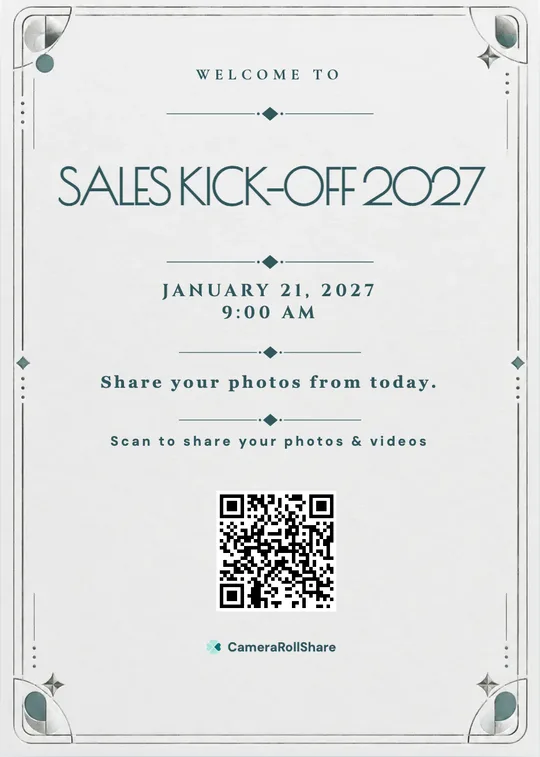


Nobody acts on the email asking for photos. So put one QR code at registration and on the screen instead. Colleagues, clients and speakers scan it and add their photos and videos in a few taps, with no app and no sign-up. You approve what reaches the screen, and the next morning everything is in one private gallery, in full quality, ready to download.
Create your event galleryFree to try · No app for attendees · Pay once per event, no subscription