




01
Create your party event
Name the party, set the date and pick a theme that suits the night.
- Name your party and set the date.
- Pick a theme and a cover photo.
- Get your upload page and gallery.
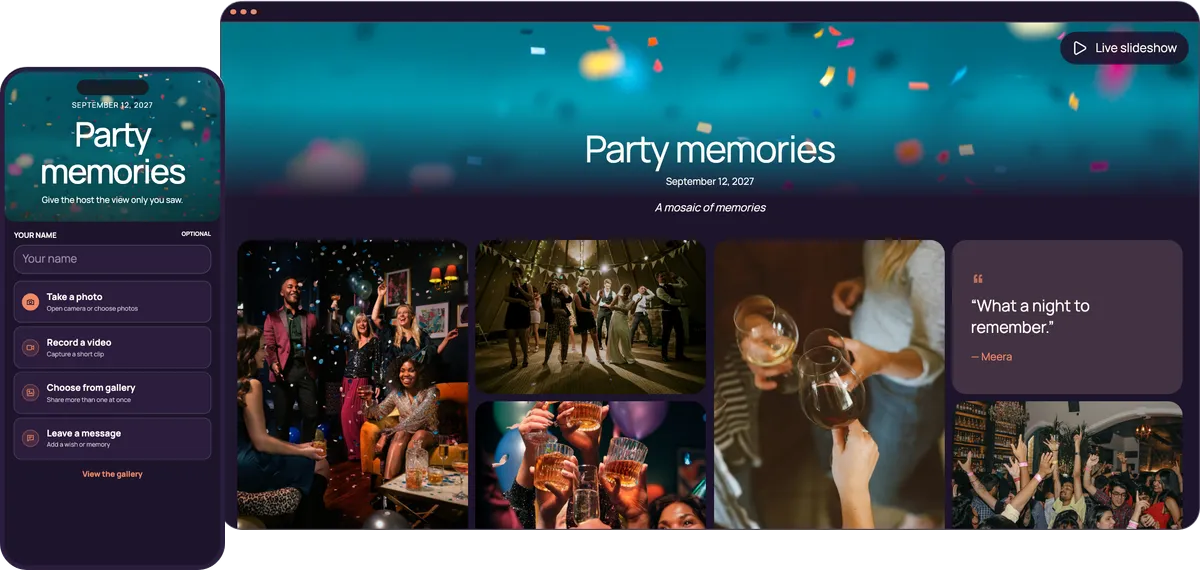

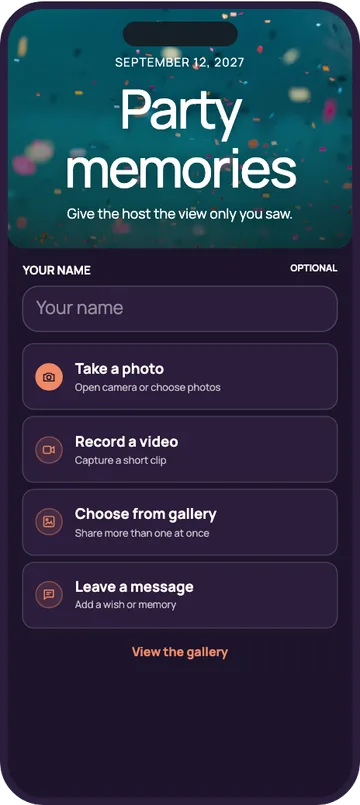
Guests scan one QR code and add their photos and videos to your private gallery while the party is still going. No app download required. No guest sign-in required.
Start free. No app required.Friends, plus-ones and the neighbour who came for one drink all share the same way: scan, pick, upload.
Guests scan it by the bar and upload in seconds.
New uploads join the live photo wall within about 15 seconds, which is what makes the next guest upload.
It opens in the phone’s browser, on iPhone and Android.
Download every photo and video in one ZIP file, in original quality.
A few minutes to set up, even on the afternoon of the party.
Name the party, set the date and pick a theme that suits the night.
The bar, the door and the screen itself: wherever guests wait with a phone in hand.
Open the live slideshow on a laptop connected to the TV, and photos join as guests upload them.
One simple upload screen for guests. One beautiful gallery for everyone invited.
June 26, 2026
Maya’s Party
A mosaic of memories




Choose a style to see your upload page and gallery change
72 possible combinations of themes and layouts
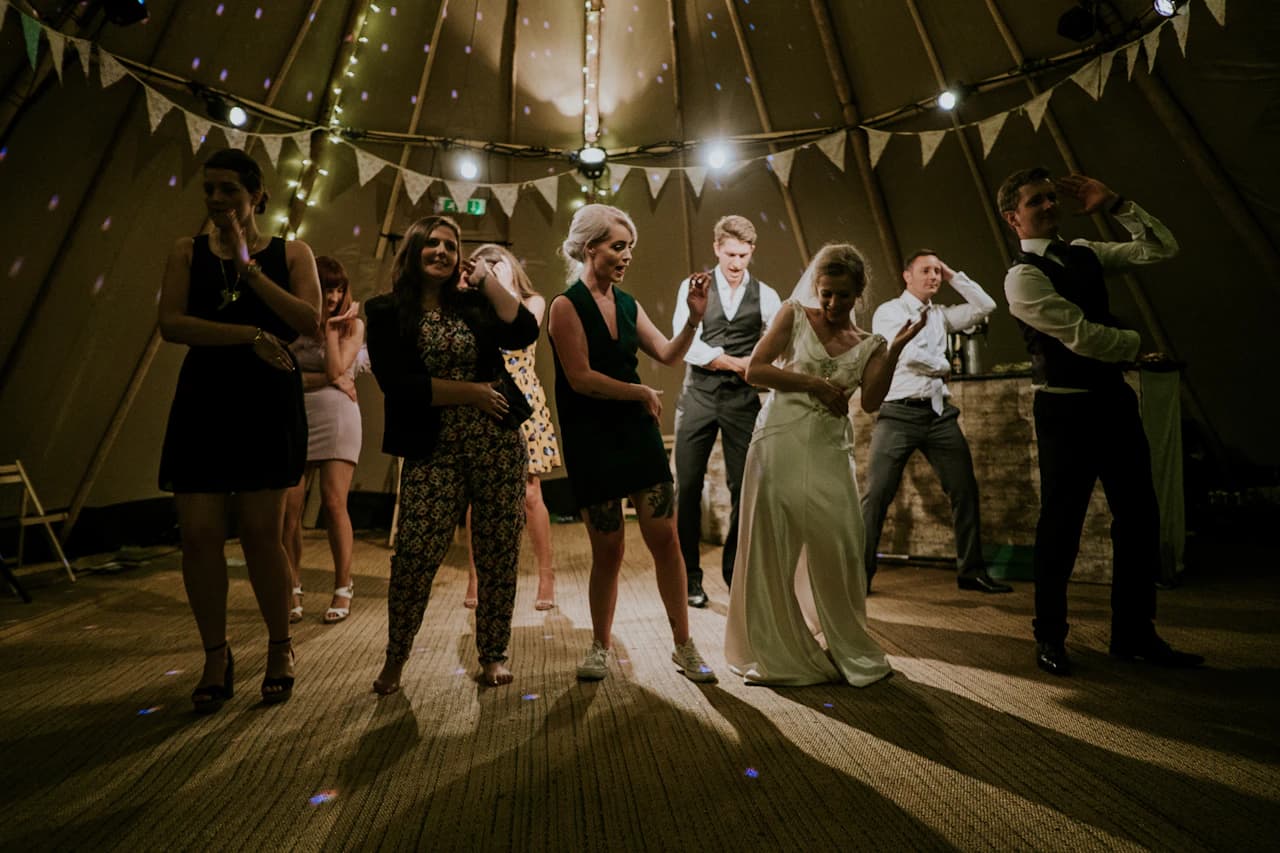
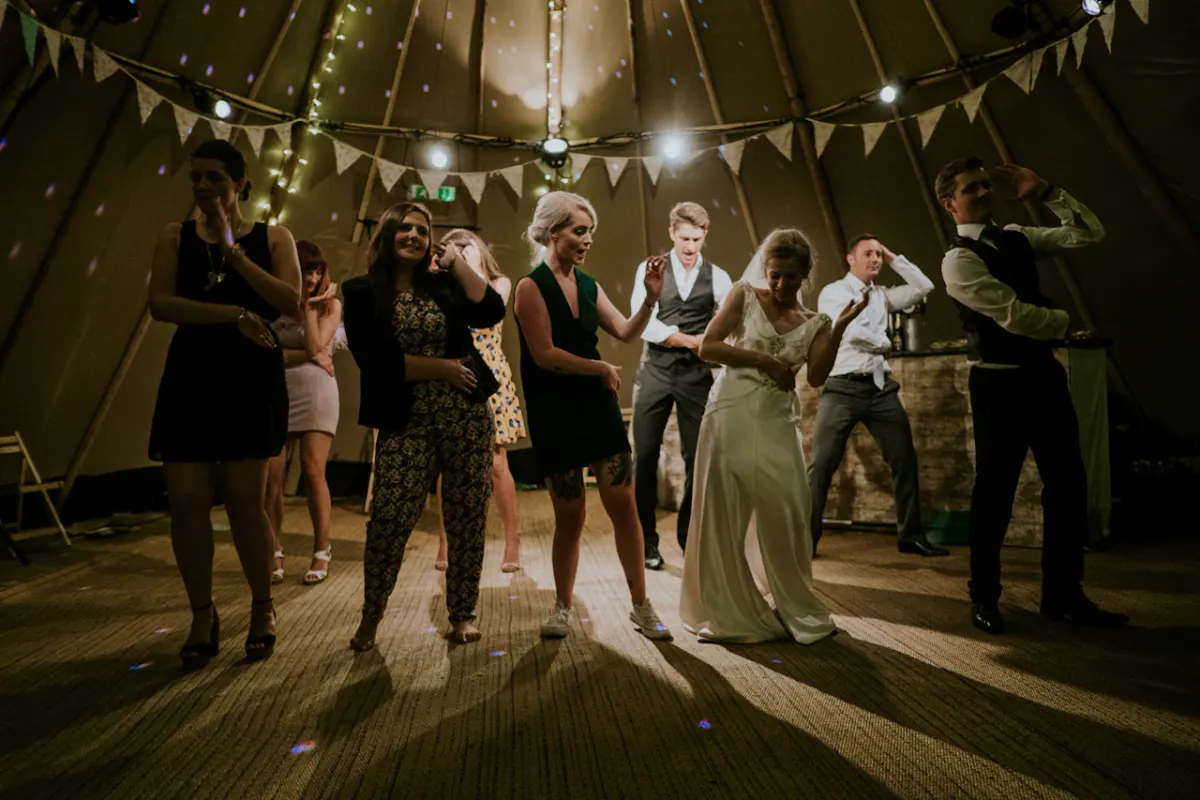
Create your own eventParties move between rooms, and nobody wants to install anything with a drink in their hand. One QR code works from the first drink to the last song, whether it is a house party, a hen night or a garden party.
Drinks at nine, the countdown at midnight, dancing until the early hours. One QR code and one gallery cover all of it, and the gallery stays open until you close it, so photos sent the next morning still find their way in.
Throwing the party with a flatmate or a few friends? Invite them by email. Moderators approve and hide photos alongside you, so you are not stuck at your laptop all night, and viewers can follow along without changing anything.
Turn on approval and nothing appears on the photo wall until you have checked it. Spot something afterwards? Hide it from your dashboard and it drops off the screen, then restore it later. The morning after, download everything as one ZIP in original quality.
New Year’s Eve at home, a housewarming, a hen or stag night, prom, leaving drinks or a garden party: guests join the same way everywhere. The upload page opens in any phone’s browser, iPhone or Android, with no app to find first.
“Only three people uploaded” is the usual story with shared albums. A photo wall changes it: guests upload more once they see their own photos on a big screen. Nothing needs installing on the TV.
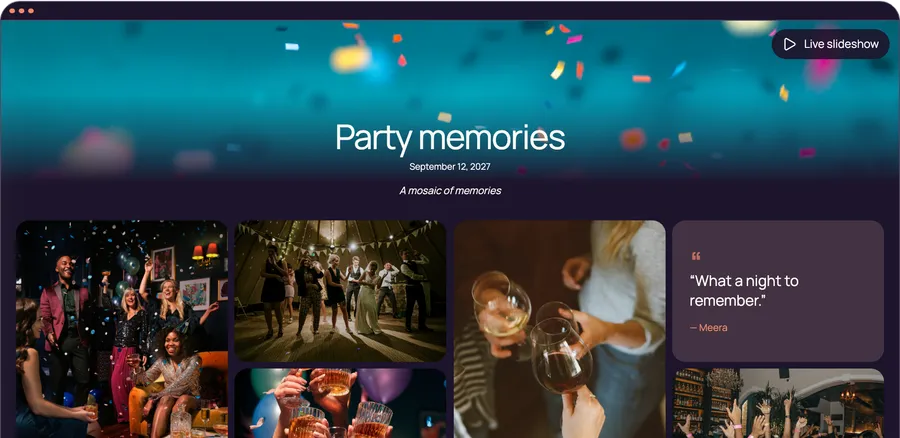
On the night, open your event link on a laptop, go to the gallery and press Live slideshow. It fills the screen and shows your QR code in the corner.
Plug the laptop into the TV with an HDMI cable, or cast the browser tab to a smart TV. Any screen the laptop can show works, including a projector on a white wall.
New uploads join the slideshow within about 15 seconds. Anything you hide from your dashboard drops off the screen, and you can restore it later. To check photos before they reach the TV, turn on approval before the party.
A guest uploads, looks up and finds their photo on the TV. The people next to them reach for their phones.
The slideshow shows your QR code in its corner, so every glance at the TV is an invitation to add a photo.
The upload page opens in the phone’s browser. No download and no account, so nobody gives up halfway.
People scan when they are standing still with a phone in hand. At a party that means the bar, the door and the screen. These five spots work at almost any party, from a housewarming to a leaving do.
A sign by the entrance, or the link in the invitation, gets the first photos in early, so the wall isn’t empty when the room fills up. Planning a birthday party? The same trick works there.
Everyone queues here at some point. A small sign next to the glasses catches guests while they wait, which is when they scroll through their photos.
The live slideshow shows your QR code in its corner, so the TV advertises itself. Guests watching the photos scan without looking for a sign.
A sign near the speakers catches people between songs. Hosting a wedding reception? The same spot works there too.
Send the link to everyone invited, so anyone who leaves early or arrives late can still add photos. Organising a work do? See corporate event photo sharing.
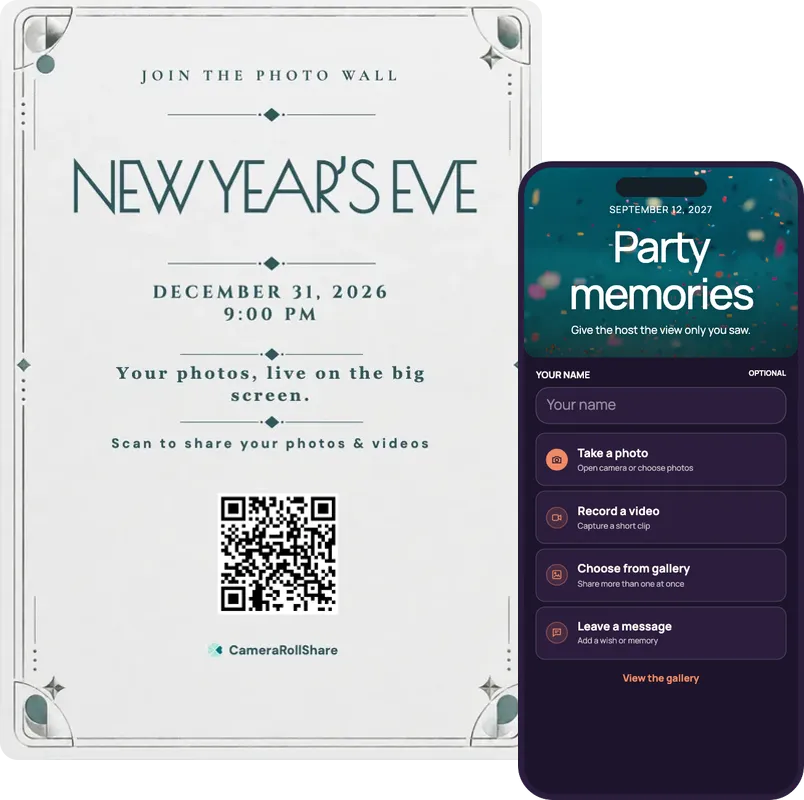
After you create your event, pick a printable QR card template and add your own names and date.
Group chats are where party photos go to disappear. They arrive squashed, they get buried under replies, and only the people in the chat can send anything at all.
A QR code does the asking for you. Put it by the bar and on the TV, and guests add their photos at full size while the party is still going. Because they see their own photo on the wall straight away, more of them join in, and you stop chasing everyone who promised to send theirs tomorrow.
| Feature |  CameraRollShare | A group chat |
|---|---|---|
| App download needed | No, it opens in the phone’s browser | Everyone needs the same chat app |
| Who can share | Anyone with the QR code or link | Only people in the chat |
| Photo quality | Original files, as your guests took them | Often compressed |
| All photos in one place | Yes, one private gallery | Buried under messages and memes |
| Photo wall on the TV | Live slideshow with your QR code in the corner | Nothing to put on a screen |
| Control what’s shown | Approve first, or hide any photo | Anything sent stays in the chat |
| Videos | Up to 3 minutes and 250 MB each | Short, squashed clips |
| Photos the next day | The gallery stays open until you close it | Late photos get lost further up the chat |
| Printable QR code signs | Ready-made templates to print | Not included |
| Download everything | One ZIP with every original | Saving photos one by one |
We’re here to help hosts bring their guests’ photos together and make every event more memorable.
“We threw a New Year’s Eve party at home and put the live slideshow on the living-room TV. Guests scanned the QR code in the corner, and by midnight half the room was uploading.”
“For my sister’s hen night I turned on approval, so nothing reached the screen until I had checked it. Photos and videos came from every bar, and the next morning I downloaded it all as one ZIP.”
“Our leaving drinks mixed colleagues and friends, and nobody needed an app or an account. A few people left a written message too. I hid two blurry shots from the dashboard in seconds.”
No. Guests scan your QR code or open your event link, and the upload page opens in the phone’s browser on iPhone and Android. There is nothing to install and no account to create, and adding a name is optional. They can take photos, record videos, pick several at once or write a message.
Put one QR code where guests stop, such as the bar, the door and the TV, so everyone adds photos to one private gallery. Unlike a group chat, nobody needs a particular app, photos arrive in original quality, and you download everything in one go the morning after.
Guests don’t need an app at all, because the upload page opens in their browser. You can try it free: the Free Trial costs €0 and includes 50 uploads. Premium (€19.95) allows 500 and Premium+ (€39.95) allows 2,000, paid once per event with no subscription.
Create your event and your QR code and link are ready straight away. Download the QR code as an image or pick a printable card template, put it at the bar, the door and next to the TV, and send the link in the party group chat.
Yes. One event has one QR code and one link, so guests can upload from the pre-drinks, the next bar and the dance floor. The gallery stays open until you close it, so photos sent the next day still arrive in the same place.
Open your event link on a laptop, go to the gallery and press Live slideshow. Connect the laptop to the TV with an HDMI cable, or cast the browser tab to a smart TV. New uploads join within about 15 seconds, and your QR code stays in the corner of the screen.
That is the usual story with shared albums, and the photo wall is the fix. When guests see their own photo on the TV within about 15 seconds, the people next to them reach for their phones. Keep the QR code on the screen, at the bar and by the door as well.
Yes. Turn on approval before the party and nothing appears until you approve it. Any photo that is already live can be hidden from your dashboard, so it drops off the screen, and restored later. You can also invite a friend as a moderator to help.
Your gallery is private and not listed publicly, and guest pages are kept out of search engines. Only people with your QR code or link can open it, so share it only with the guests you want. You can also turn off guest viewing, so people can upload but not browse.
Yes. Download everything as one ZIP in original quality from your dashboard, and written messages become a guestbook PDF. After you close the event, files are kept for 14, 30 or 60 days depending on your plan, so download them before then.
They’re not all the same. Some make your guests download an app first, some only collect photos, and some keep charging you every month. Here’s what’s worth checking before you pick one.
Guests at a party are holding a drink and half-listening. Ask them to install something and most won’t. Look for a link that opens straight in the phone’s browser, on iPhone and Android.
Seeing their own photo on the big screen is what makes guests upload. Look for a live slideshow that updates on its own and keeps the QR code on screen.
Not every photo from midnight belongs on the TV. You should be able to approve photos first, or hide one in a tap and bring it back later.
A dance-floor clip says more than a photo. Guests should be able to send videos of up to three minutes, and write a few words that become a guestbook.
Some services shrink photos to save space. The morning after, you should be able to download everything as one ZIP, exactly as your guests took it.
A party happens once, so the bill should too. Try it free first, then pay once for the event instead of every month.
CameraRollShare ticks all six.


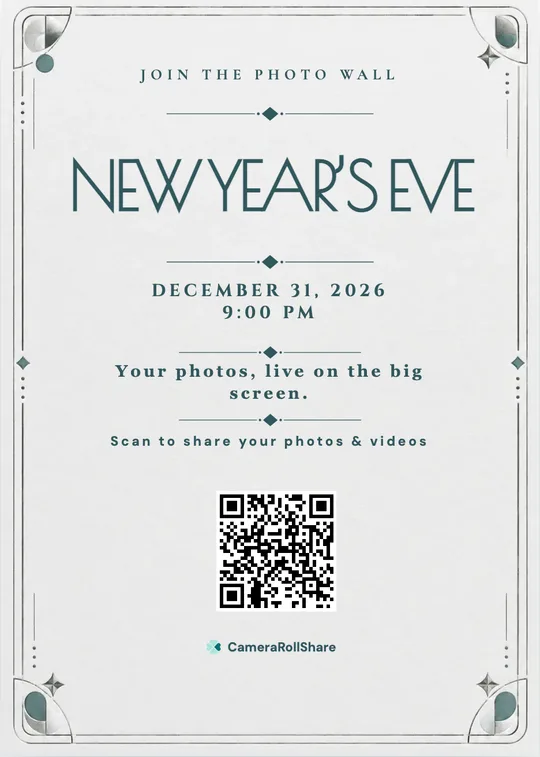


Asking in the group chat is how you end up with three photos. So put a QR code by the bar and on the TV instead. Guests scan it, add photos and videos in a few taps and see their own on the wall within seconds. No app, no sign-up. The morning after, it’s all in one private gallery, in full quality, ready to download as a ZIP.
Create your party galleryFree to try · No app for guests · Pay once, no subscription